Showing posts with label TABLETS. Show all posts

Saturday, October 6, 2012

SAMSUNG GALAXY NOTE 2 N7100 REVIEW AND SPECIFICATIONS


SAMSUNG GALAXY NOTE N7100

SAMSUNG Galaxy note 2 (Samsung Galaxy Note N7100) has all the features and components that a user may find to be interested in. Its features are really mesmerizing. One may not find Galaxy Note 2 boring. Because it is a smartphone as well as tablet from Samsung one may simply believe it to be the best. No this is not true, since it has many features embedded in it, it is considered the best. It has Android Jelly Bean 4.1 which is the latest from Android of course. It has 2GB RAM and 1.9 GHz quad-core Cortex A9 processor. With a chipset of Exynos 4412 Quad-chipset and 400MP MALI Graphics, this device is like an illusion capable of conquering ones mind and attracting one towards it. It supports both 3G (850/900/1900/2100 HSDPA) and 4G (LTE 700) network preferences. All its features like Camera, Messaging, and Applications are astonishing and fabulous. For more such specifications please view the next part of the post in which I have stated about its specifications.

SPECIFICATIONS OF GALAXY NOTE II

1) 3G NETWORK – 850/900/1900/2100 HSDPA (21 mbps)

2) 4G NETWORK (Optional) - LTE 700 MHz CLASS 17 (100/50 mbps)

3) OPERATING SYSTEM – ANDROID 4.1 JELLY BEAN

4) PROCESSOR (CPU) – 1.9 GHz CORTEX A9 QUAD CORE

5) CHIPSET – EXYNOS 4412 QUAD-CHIPSET

6) MEMORY - 2GB RAM, INTERNAL – 16/32/64GB

7) GRAPHICS (GPU)MALI - 400MP

8) WiFi – YES WITH 802.11 a/g/b/n SUPPORT WITH DLNA AND WiFi HOTSPOT

9) BLUETOOTH – v4 A2DP, LE, EDR

10) GPS – YES WITH A-GPS AND GLONASS SUPPORT

11) DISPLAY – 16-M SUPER AMOLED CAPACITIVE TOUCH-SCREEN

12) RESOLUTION - 720 * 1280 Pixels

13) PRIMARY CAMERA – 8MP 3264 * 2448 PIXELS CAMERA WITH GEO-TAGGING, TOUCH FOCUS, FACE AND SMILE DETECTION, IMAGE STABILIZATION

14) SECONDARY CAMERA – YES, 1.9MP

15) CARD-SLOT – YES, EXPANDABLE UP TO 64GB

16) JAVA – YES WITH MIDP EMULATOR

17) SENSORS – ACCELEROMETER, GYRO, PROXIMITY, COMPASS, BAROMETER

18) STAND-BY BATTERY - UP TO 980 H (2G) / UP TO 890 H (3G)

19) TALKTIME BATTERY - UP TO 35 H (2G) / UP TO 16 H (3G)

20) OTHER FEATURES - SNS integration
      - Active noise cancellation with dedicated mic
      - Dropbox (50 GB storage)
      - TV-out (via MHL A/V link)
      - MP4/DivX/XviD/WMV/H.264/H.263 player
      - MP3/WAV/eAAC+/AC3/FLAC player
      - Organizer
      - Image/video editor
      - Document editor (Word, Excel, PowerPoint, PDF)
      - Google Search, Maps, Gmail,
        YouTube, Calendar, Google Talk, 
         Picasa integration
      - Voice memo/dial/commands


PRICE OF GALAXY NOTE 2:- 
AROUND 600 EUROS OR RS.37900/- OR $ 810


Samsung Galaxy Note 2 white and black


Samsung Galaxy Note 2


PROS AND CONS OF GALAXY NOTE II

PROS / ADVANTAGES OF GALAXY NOTE 2

1) 3100 Mah Battery gives the longest talktime.
2) Android Jelly Bean v4.1 is the latest version of Android.
3) Super AMOLED display is regarded the best known     display
4) 2GB RAM is more than enough for the phone
5) More than millions of applications to be downloaded from.

CONS / DISANDVANTAGES OF GALAXY NOTE 2

1) 8MP camera is not enough in this class of phone. Dual LED Flash is absent.
2) It cannot be used with one hand. The screen is wide enough
3) Its large dimensions make it uneasy for portability
4) It’s a tablet-like more than a smartphone
5) Typing in it is not easy

WHERE TO PURCHASE SAMSUNG GALAXY NOTE 2??

: -YOU CAN PURCHASE GALAXY NOTE 2 HERE(Grey color)

: -YOU CAN PURCHASE GALAXY NOTE 2  HERE(Silver color)

Samsung Galaxy Note 2 charging

--------------------------------------------------------------
RELATED POSTS


Samsung Galaxy Note 2 after opening


Samsung Galaxy Note 2 both colors


THANK YOU… THIS WAS ALL ABOUT GALAXY NOTE 2. HOPE SO YOU WILL PUCHASE IT AS SOON AS POSSIBLE. AND PLEASE COMMENT.
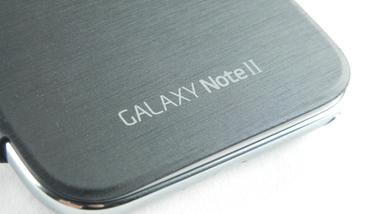

Samsung Galaxy Note 2 Case

Thursday, June 28, 2012

GOOGLE NEXUS 7 REVIEW ;;GOOGLE NEXUS 7;;


Google Nexus 7 review


GOOGLE NEXUS 7 SPECS

GOOGLE NEXUS 7 VERDICT

GOOGLE NEXUS 7 VS. KINDLE FIRE


Getting up close with the latest tablet challenger


We nabbed a good chunk of hands on time with the Google Nexus 7, the new challenger in the tablet market.


The new tablet, which weighs in at just 340g, packs a 7 inch screen with 1280x800 screen and comes complete with a quad core Nvidia Tegra 3 CPU, plus a 12 core GPU too.
What's more, the tablet costs just £159 or £199 (depending on whether you want an 8GB or 16GB variant) and will be $199 in the US.


Google Nexus 7

However be warned: there's no microSD card slot nor a rear-facing camera… although we're not sure many people will miss the latter.
It fits nicely into the hand, and although the back is encased in plastic it still doesn't feel as cheap as the price tag would suggest.


Google Nexus 7

Oddly the headphone port is placed at the bottom of the Google Nexus 7 rather than at the top or the side - this creates something of a lop-sided feel when you're playing with the tablet, and we can see wireless headphones being a real boon here.
The overall design is very nice indeed - we wouldn't be upset to pull this out of our bag (or indeed pocket, such is its size) and for the sum of £159, we certainly can't fault it on that front.

As we've mentioned there's no microSD slot to be found, which is really irritating with a tablet like this. There's maybe a very slight financial reason not to put one in (although a lot of budget phones happily pack a dedicated slot) so we suspect this is more cloud-based.
Think about it: 16GB isn't going to be enough to download a cornucopia of movies and store them locally. No, you'll be forced in and out of the Google Play Store, all the while being tantalisingly tempted with all manner of games and shows to watch.
And Google has also got the music element too - while not available in certain territories, the notion of being able to store 20,000 songs in a digital locker is the way forward, according to Google. Not being able to listen to them all locally, apparently.
Google Nexus 7 review
The battery life is a big talking point too, with a very decent nine hours of video playback or up to 300 hours of standby if you promise to be really lean with your tablet.
It's rocking Android 4.1, the latest version of the OS (codenamed Jelly Bean) which adds in a few minor updates to the OS - namely better voice recogntion and the likes of Google Now, which will display cards in a contextual manner when you ask questions of the tablet through your voice or some tippy-tappy typing.
The interface is interesting - on the Google Nexus 7 we tried, the UI was super-zippy in some places, and in other lagged a bit too much to be a simple mis-step.
Opening and shutting apps seemed to be the hardest task - although navigating through the Chrome browser wasn't without its pitfalls either, it seems.
Google Nexus 7 review
There were frequent instances when trying to browse that rendered the interface frozen for a second or two - and then trying to zoom in and out was quite difficult to achieve smoothly.
However, let's be fair here: although the Google Nexus 7 release date is less than a month away, there's still plenty of time to iron out a few kinks, and that's what we felt like we were playing with here.
We should give a big 'shout out' to the new notifications bar though - we really enjoyed the extra informaiton on offer, and are looking forward to giving that a go in real life, especially being able to see which apps are able to make the best use of the extra space and the additional buttons you'll get.
Typing on the Nexus 7 was a decent experience, and we found we quickly preferred doing so in portrait mode.
The suggestions that came up weren't always exact the mot juste but more often than not we were pleased with the accuracy - and the wealth of special characters no more than a long-press away was enticing too. We know, get out more, we should, etc etc.

Early verdict


Google Nexus 7 review

Do we like the Google Nexus 7? Yes, without a doubt. For the money you're getting so, so much: a quad core Tegra 3-powered device with a 12-core GPU and a HD screen.
Then there's the most advanced version of Google's Android, and the fact you can get a wealth of new content in the shape of magazines and an ever-growing library of content in the video department.
Google Now, while not really an exclusive to this tablet, is a neat feature and one definitely worthy of being further explored - get it right and we may have an actual Siri competitor, which would be amazing to see.
Yes, the lack of storage and no camera is underwhelming, but possibly only from a gadget snob's point of view - do we need a camera on the rear of the device? No. Do we need local storage when the cloud is there, ready and waiting? Yes, we still do - and Google's entry into the tablet market could be marred by such an error.
People want media on tablets - they perhaps aren't as bothered about the phone as a personal movie theatre, but when users can only download two or three HD movies onto their device before it's maxxed out - well, that's a cause for concern.
But speaking of concern, there will be some panicked brands out there who have carved out a living making cheaper tablets with low-end specs; the Google Nexus 7 has just blown all of them out of the water.

Wednesday, June 20, 2012

MICROSOFT SURFACE TABLET REVIEW AND SPECIFICATIONS


MICROSOFT SURFACE  (MICROSOFT's TABLET)


MICROSOFT SURFACE TABLET SPECIFICATIONS


Device type:      Tablet
OS:                   Windows (RT)
Weight:              23.81 oz (675 g) the average is 15.8 oz (453 g)

Physical size:     10.60 inches
Resolution:        1280 x 720 pixels
Pixel density:     139 ppi
Touchscreen:    Capacitive, Multi-touch
Features:           Light sensor, Scratch-resistant glass

System chip:     NVIDIA Tegra 3+
Processor:        ARM
Graphics processor:Yes
Built-in storage:64 GB
Slot Type:        micro-SD, microSDHC

Camera:           Yes
Features:          Auto focus
Camcorder:      Yes

Browser:          Internet Explorer 10
Supports:         HTML, HTML5, Flash

Positioning:      GPS, A-GPS
Navigation:      Yes

Organizer:       Calendar, Alarm, To-Do, Document viewer (Office 2007, Office 2003, PDF), Calculator, World clock, Timer, Notepad
E-mail:            IMAP, POP3, SMTP, Microsoft Exchange

Wi-Fi:             Yes
USB:               USB 2.0
Other:             OTA sync

Notifications:   Flight mode, Silent mode, Speakerphone
Sensors:          Accelerometer

Voice recording Availability

Officially announced:  18 Jun 2012


MICROSOFT SURFACE REVIEW

Magnesium chassis, vapour deposition coating, cutaway edges, ClearType HD display; the design credentials and the specs for Microsoft's new Windows RT tablet are impressive and in the flesh this is a delightful piece of hardware that looks good – and is practical too.
It's thin, it's light, it's comfortable to hold, it runs Windows RT as excellently as you'd expect, it makes you want to touch it but it's also designed so you can snap the magnetically attached cover into place – in no way similar to any competitor idea...
  • Hands on: Windows 8 review
However, you won't be able to get the Surface tablet until Windows 8 ships – and we can't get its big brother, the Intel Core i5 Surface for Windows 8 Pro, for another three months after that.

Design

The design of the Surface for Windows RT (and the similar Surface for Windows 8 Pro that we didn't see in as much detail) is understated.


Microsoft Surface tablet review

The front is sleek black glass, precision bonded to the magnesium alloy chassis ("we squeezed all the air out," as Microsoft hardware expert Stevie Battiche told TechRadar), with only a Windows logo visible – the word Microsoft doesn't show up on the case anywhere.
Turn it on and the 10.6" screen fills most of the Surface's front display, but the four edges have half an inch of bezel so you can hold it comfortably.


Microsoft Surface tablet review

The Windows logo isn't just for show; it's a touch button that gives you the Start screen when you tap on it, plus the whole bezel is touch-aware so you can swipe across it to bring up the App bar or the switching pane (spending on which way round it is).


Microsoft Surface tablet review

The Surface is light and comfortable to hold; the edges are sloped to give you a comfortable grip (although the edge with the cover connector isn't quite as ergonomic until you connect the cover).
The magnesium alloy chassis is covered with a soft coating that feels durable and expensive (that's the vapour deposition bit; it's chemically bonded rather than just painted on).


Microsoft Surface tablet review

If you don't want to hold it, there's a built-in stand that's like a large hinge running across the entire back of the Surface, with another Windows logo in a slightly matte finish.
The hinge is usually held in place by an array of magnets so it doesn't fall out if you shake the Surface around; on the left there's a little cutout in the edge of the hinge to make it easier to flip out.


Microsoft Surface tablet review

If you've seen Apple's SmartCover on the new iPad 3, then this method of connection won't be a surprise – it's another move that shows Microsoft is intending to go toe-to-toe with the Cupertino brand in the tablet arena.
The Surface tablet also balances well on the hinge, which has two long rubber feet to stabilise it.
With the Touch Cover on, we were able to balance the Surface on a lap for typing like a notebook without it falling forward or tipping over backwards; compare this to the Asus Transformer Prime which always wants to fall backwards, and you'll appreciate this weighting.


Microsoft Surface tablet review

Microsoft has included the fewest ports it could get away with; the bottom edge is filled with the magnetic keyboard connector, the top has the power button and the sides have two speakers, dual microphones, microSD, one USB 2.0 port (USB 3.0 for the Surface Pro) and Micro HDMI (on the surface Pro that's mini DisplayPort), plus a magnetic power connector.


Microsoft Surface tablet review

The magnesium alloy chassis and the precision design give the Surface RT a sturdy feel. Lift it by the corners and twist and there's no flexing at all; we tried the same thing with the frame of a chassis that hadn't been assembled and even without the glass and back it barely moved.
The Microsoft team showing off the tablets weren't cradling them protectively; at one point Battiche tossed a tablet to a colleague. Even without the cover, the Surface should stand up to some punishment.